In the rapidly evolving landscape of digital creativity, a new art form has emerged at the intersection of human imagination and artificial intelligence. AI image generation, powered by complex artificial neural networks, has opened up a universe of visual possibilities. At the heart of this creative revolution lies the "creative prompt," a set of text instructions that guide the AI. This practice, often called prompt engineering, is the art of designing inputs to guide generative AI models toward a desired output. Crafting a compelling AI image goes far beyond simple descriptions; it is a nuanced dance of language, where the artist must learn to communicate their vision by weaving together emotion, color, and style.
The Essence of a Creative Prompt
A creative text-to-image prompt is a specialized form of communication, a bridge between a creative concept and its digital execution. A simple prompt like "a portrait of a woman" might yield a generic result, as the AI draws from common representations in its training data. The true power of creative prompting lies in specificity and descriptive richness. It's the difference between commissioning a sketch and art directing a masterpiece. Effective prompts are built upon a foundation of core components, including a clear subject, artistic style, composition, lighting, and color palette. Mastering this craft involves learning to describe visual concepts with a precision that AI models, like diffusion models, can interpret.
The Interplay of Emotion: Crafting a Feeling
Perhaps the most profound aspect of emotional prompting is the ability to infuse an image with feeling. While AI doesn't feel, it can be guided to express emotions through carefully chosen language. Instead of simply stating "sad," a more effective approach is to describe a scene that evokes that feeling. For instance, "a woman wrapped in a thin coat, with rain streaming down her cheeks like tears as city lights smear into the wet pavement behind her" provides the AI with sensory details that generate a more emotionally resonant image. To capture complex emotions like nostalgia, prompts can include elements that trigger cultural memories, such as "a nostalgia prompt with a faded polaroid of a summer afternoon" or "the warm glow of a vintage radio." The key is to start with the desired feeling and build the visual world around it.
| Technique | Example Prompt Keywords | Resulting Visual Characteristics |
|---|---|---|
| Use descriptive adjectives and narrative scenarios to set the mood. | "A lonely robot in the rain," "a joyous celebration," "a mysterious forest," "deep thought." | Subtle character expressions, dramatic lighting, and compositions that evoke feelings like isolation or happiness. |
The Language of Color: Painting with Words
Color is a powerful tool for setting the mood of an image. When a user prompts for a "red dress," the AI accesses what a red dress represents, from passion to drama. A sophisticated prompter can leverage color theory, requesting a "complementary palette of teal and orange" for a cinematic tone, or an "analogous palette of warm beige and soft gold" for harmony. Color psychology is crucial; a warm, golden palette can suggest safety and nostalgia, while cool blue tones might evoke calmness or melancholy. Modifiers like "vibrant," "muted," or "neon" give further control. For instance, a prompt for "serene landscapes prompt" can be reinforced with "calming blues and greens."
| Technique | Example Prompt Keywords | Resulting Visual Characteristics |
|---|---|---|
| Specify color palettes directly, mention colors tied to emotions, or describe lighting. | "Vibrant neon palette," "muted earth tones," "golden hour lighting," "monochromatic blue." | The image is rendered with a specific color scheme, such as warm tones for energy or cool tones for calmness. |
The Definition of Style: From Photorealism to the Abstract
Style provides the aesthetic framework for an AI-generated image. Without specific guidance on choosing a style prompt, AI models often default to a generic, realism prompt look. By referencing artistic movements, mediums, or even pop culture, a creator can tap into established visual languages. Prompts can include a vast array of styles, from "in the style of Impressionism" and "Art Nouveau illustration" to photography terms like "shot on 35mm film" or niche aesthetics like "cyberpunk" and "fantasy concept art." Advanced techniques involve blending these styles, such as a "cinematic neo-noir scene in the style of a Rembrandt oil painting," to create truly novel aesthetics.
| Technique | Example Prompt Keywords | Resulting Visual Characteristics |
|---|---|---|
| Name specific artistic movements, mediums, artists, or aesthetic genres. | "In the style of Van Gogh," "digital painting," "cinematic," "photorealistic," "pencil sketch." | The image adopts the texture, brushstrokes, and overall aesthetic of the requested style. |
Conclusion: The Artist as a Digital Weaver
AI image generation is more than a technological curiosity; it is a new frontier for artistic expression. The multifaceted nature of these images directly reflects the depth of the prompts that guide them. By mastering the interplay of emotion, color, and style, the modern artist becomes a weaver of words, intricately threading together descriptive language to manifest their vision. The art of the creative prompt is a testament to the enduring power of human alignment problem, demonstrating that even in an age of artificial intelligence, creativity remains a fundamentally human endeavor.
Ready to transform your AI into a genius, all for Free?
Create your prompt. Writing it in your voice and style.
Click the Prompt Rocket button.
Receive your Better Prompt in seconds.
Choose your favorite AI model and click to share.
Summary of Art of the Creative Prompt
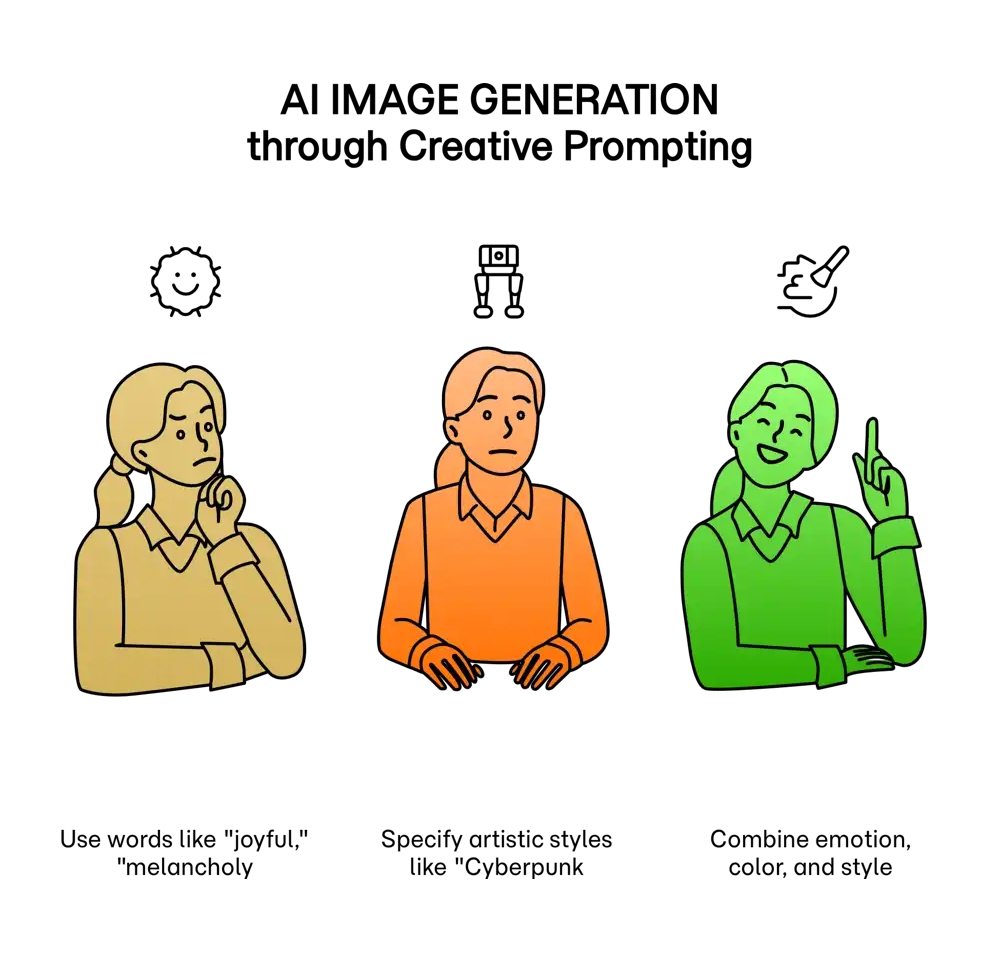
The multifaceted nature of AI-generated imagery is captured through the art of creative prompting, a process that translates human imagination into machine-executable instructions. This act of prompt-driven creation serves as a bridge between a user's vision and the AI's output, orchestrating a complex interplay of emotion, color, and style. By using descriptive adjectives and specific terminology, a creator can guide the AI to generate a desired mood. Adjectives like "joyful," "melancholy," or "serene" can be directly included in prompts to influence the overall emotional tone of the image. The AI, having been trained on vast datasets of images and their associated text, understands the visual characteristics tied to these emotions. This often translates into the selection of specific color palettes, as color psychology plays a significant role in how feelings are visually represented. For instance, a prompt calling for a "serene landscape" might result in an image dominated by calming blues and greens, while a request for a "passionate portrait" may yield visuals with vibrant reds. Furthermore, specifying artistic styles such as "Impressionism," "Cyberpunk," or "Art Nouveau" provides the AI with a clear framework for line, texture, and composition, further refining the image's character. The genius of creative prompting lies in this ability to layer these elements like emotion, color, and style within a single text instruction to produce a cohesive and evocative piece of art.