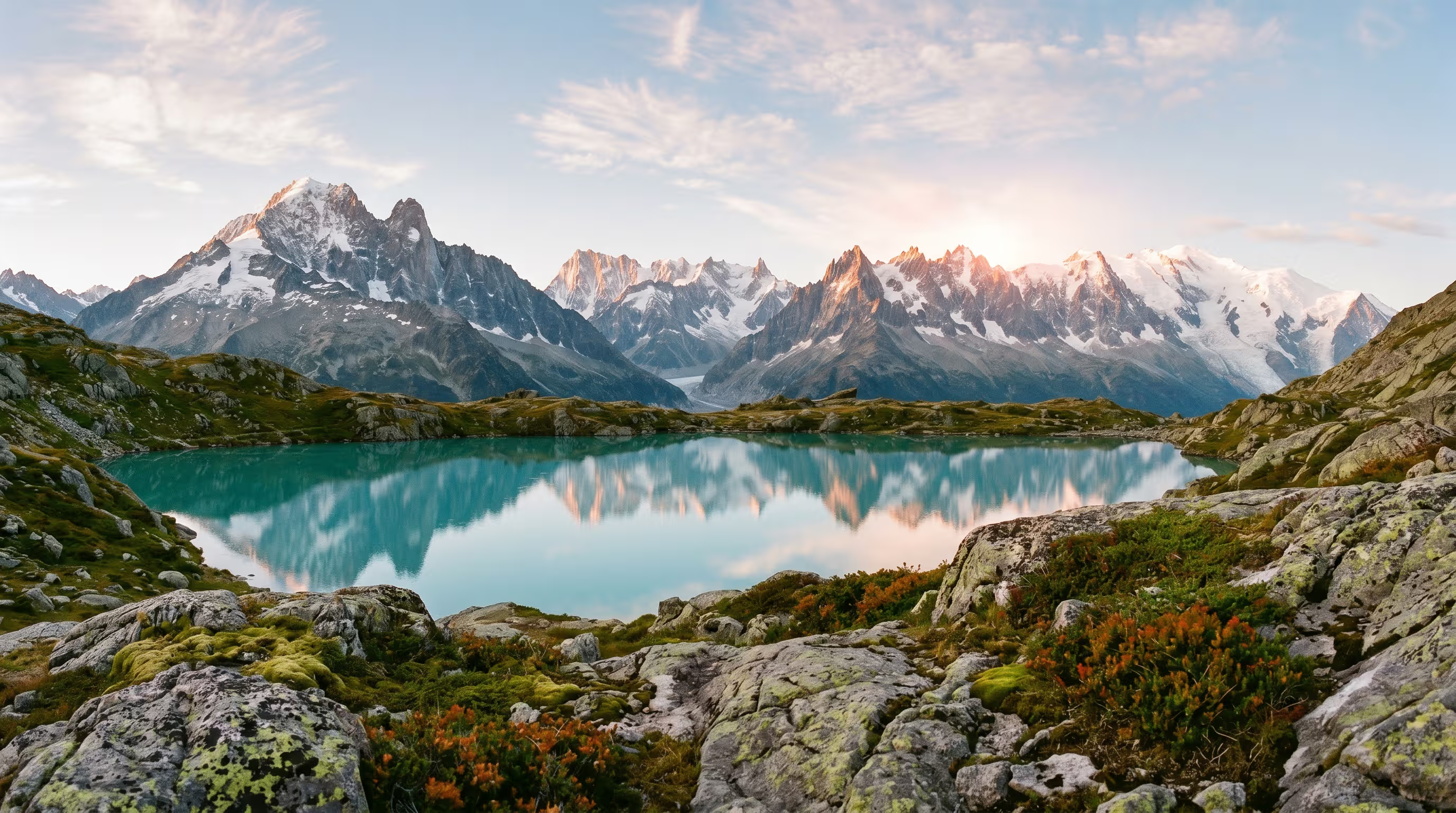
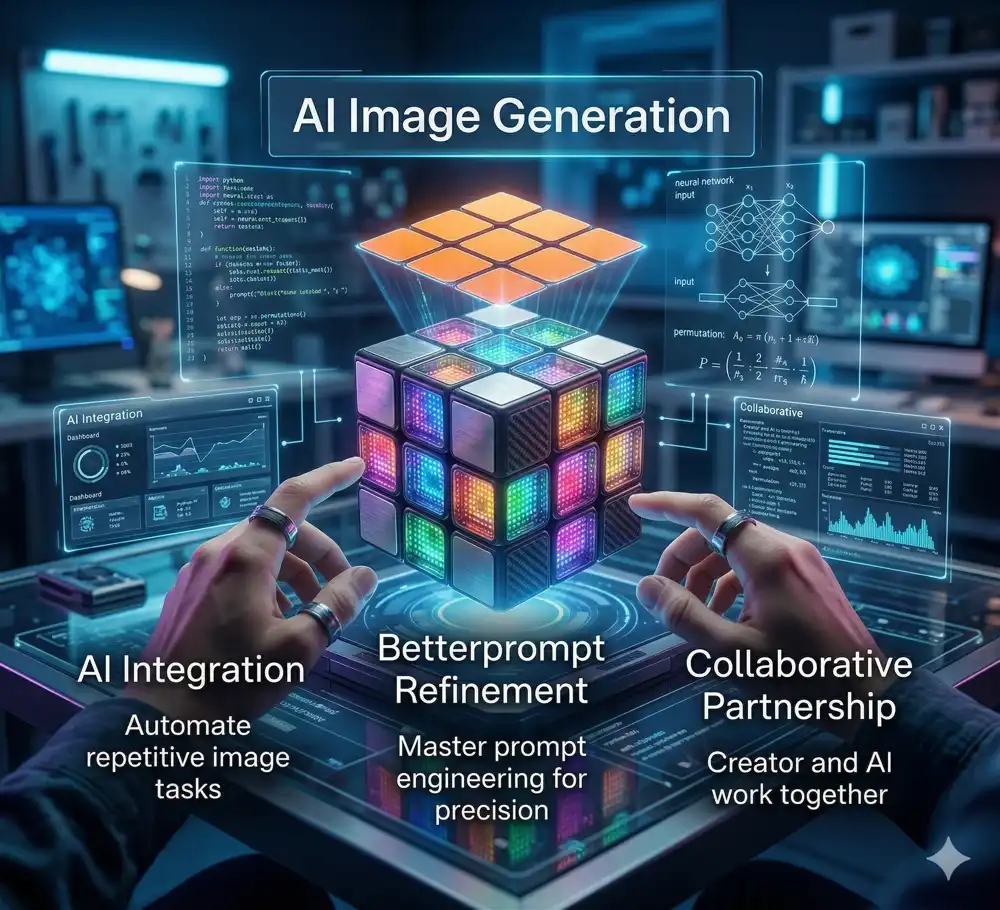
The landscape of visual content creation is undergoing a seismic shift, driven by the rapid evolution of artificial intelligence. Mastering image generation tools has moved beyond novelty and is now an integral component of professional generative-AI workflows across photography, marketing, and design. By strategically integrating these powerful platforms with refined techniques like Better Prompt image prompt optimisation, creative professionals can significantly enhance the quality, realism, and efficiency of producing polished, impactful images for a multitude of communication formats.
The Technologies Driving AI Imagery
To fully leverage AI in image production, it is crucial to understand the underlying architecture. Most modern platforms rely heavily on diffusion models, which systematically denoise random pixel arrays into highly detailed, coherent images based on your text instructions. While diffusion is dominant, GANs (Generative Adversarial Networks) are also historically significant and still employed for specialized stylization and rapid generation tasks. Utilizing these models effectively allows businesses to generate professional, on-brand visuals quickly, driving unprecedented cost and time savings.
Search AI Articles
- Imperfections
- Why do AI image generators create imperfect images?
- AI models sometimes produce visual flaws or logical inconsistencies because they interpret text prompts based on learned patterns rather than a true understanding of physical reality, resulting in occasional artifacts or structural errors.
- AI artifacts
- image flaws
- visual inconsistencies
- generative errors
- Anatomical Distortions
- Why does AI struggle with human anatomy?
- AI image generators frequently distort human anatomy, such as adding extra limbs or misaligning features, because they learn from 2D pixel associations rather than understanding 3D skeletal structures and human biology.
- AI anatomy
- extra limbs
- body distortion
- structural errors
- Rendering Hands
- Why are AI-generated hands always messed up?
- Rendering hands is notoriously difficult for AI because hands are highly complex, articulate in numerous ways, and frequently occlude each other in training data, making it hard for models to map the exact number and position of fingers.
- AI hands
- extra fingers
- hand rendering
- complex articulation
- Embracing Intentional Imperfection
- How can I use AI imperfections creatively?
- Artists and creators sometimes deliberately prompt for or retain AI errors, using surreal glitches, dreamlike logic, and bizarre anatomical mistakes to create unique, avant-garde, or thought-provoking digital art that highlights the medium's synthetic nature.
- Glitch art
- surrealism
- avant-garde AI
- intentional artifacts
- Image Oversight
- How can I catch mistakes in AI-generated images?
- Image oversight involves carefully reviewing AI-generated visuals for subtle errors like floating objects, mismatched lighting, or illogical reflections before publishing, ensuring high quality and preventing embarrassing brand mistakes.
- Quality assurance
- visual inspection
- error spotting
- AI curation
- Shadows Imperfection
- Why do AI shadows look unnatural?
- AI often generates inconsistent shadows and lighting because it lacks an inherent understanding of physical light sources and 3D space, leading to shadows that fall in the wrong direction or conflict with the main illumination.
- AI lighting
- shadow casting
- illumination errors
- physics in AI
- Uncanny Valley
- Why do AI human faces look creepy?
- AI-generated humans often fall into the uncanny valley, where they look almost perfectly real but possess subtle, eerie unnaturalness in their eyes, skin texture, or expressions, causing a feeling of unease in human observers.
- Creepy AI
- eerie faces
- digital humans
- hyperrealism
- Text to Image
- How does text-to-image AI work?
- Text-to-image technology uses machine learning models to translate spoken language descriptions into corresponding visual media, allowing users to create complex illustrations, photos, and art simply by typing a descriptive text prompt.
- Generative AI
- Natural Language Processing
- visual generation
- prompting
- Text-to-Image Prompting
- How do I write the best AI image prompts?
- Effective text-to-image prompting involves crafting highly descriptive and structured instructions, specifying the subject, setting, lighting, camera angle, and artistic style to guide the AI model toward generating exactly the desired visual output.
- Prompt engineering
- prompt crafting
- image instructions
- AI modifiers
- Choosing a Style with AI Prompts
- How do I make my AI image look like a specific art style?
- You can dictate the aesthetic of an AI image by including specific artistic keywords in your prompt, such as watercolor, cyberpunk, oil painting, photorealistic, or naming specific art movements and rendering techniques.
- Art styles
- aesthetic prompts
- medium
- visual style
- Image to Image
- What is image-to-image AI generation?
- Image-to-image generation involves feeding an existing picture into an AI model along with a text prompt to guide modifications, allowing the original structure or composition to be maintained while changing the style, details, or subjects.
- IMG 2 IMG
- visual reference
- AI manipulation
- composition preservation
- Image-to-Image GANs
- How do GANs process image-to-image translation?
- Generative Adversarial Networks handle image-to-image translation by pitting two neural networks against each other, one generating the image and the other evaluating its realism making them highly effective for turning sketches into photos or daytime scenes to night.
- Pics 2 Pics
- Cycle-GAN
- adversarial networks
- image translation
- Neural Style Transfer
- What is neural style transfer in AI?
- Neural Style Transfer is an AI technique that takes the artistic style of one image, like a famous painting, and applies it to the content of another image, such as a personal photograph, creating a unique blended artwork.
- Style blending
- artistic filters
- content representation
- neural networks
- Image-to-Image Prototyping
- How can image-to-image AI help with prototyping?
- Designers use image-to-image AI to quickly transform rough sketches, wireframes, or basic 3D block-outs into fully rendered, high-fidelity concept art, drastically speeding up the ideation and visual prototyping process.
- Rapid prototyping
- concept art
- sketch to render
- design workflow
- Photo Editing
- Can AI edit existing photos?
- AI photo editing utilizes machine learning tools to automate complex retouching, remove unwanted objects, adjust lighting, or replace entire sections of a photograph, offering professional-grade adjustments with minimal user effort.
- AI photo editors
- automated retouching
- generative fill
- photo manipulation
- Photo Backgrounds
- How do I change the background of a photo with AI?
- AI tools can instantly isolate the main subject of a photograph, seamlessly remove the original background, and generate entirely new settings, environments, or studio backdrops based on user prompts.
- Background removal
- generative backgrounds
- subject isolation
- composite imagery
- Naturalism and the 'AI look
- How do I avoid the plastic 'AI look' in generated photos?
- To avoid the overly smooth, plastic, and hyper-saturated 'AI look', users prompt for naturalism by specifying raw photography styles, film grain, realistic lighting, and slight imperfections to mimic authentic human photography.
- Authentic photography
- film grain
- raw photos
- realistic lighting
- Photo Quality Improvement
- Can AI enhance low-resolution photos?
- AI-driven photo improvement tools use deep learning to upscale low-resolution images, reduce visual noise, sharpen blurry details, and restore old or damaged photographs to a crisp, high-definition state.
- AI upscaling
- image restoration
- noise reduction
- high-definition
- Photo Retouching
- Is AI good for retouching portraits?
- AI photo retouching automates tedious tasks like smoothing skin, removing blemishes, whitening teeth, and adjusting facial lighting, allowing photographers to achieve polished, magazine-quality portraits in a fraction of the time.
- Portrait retouching
- skin smoothing
- automated blemish removal
- portrait enhancement
- Representation and Digital Identity
- How does AI impact digital self-representation?
- AI allows individuals to craft idealized avatars or dramatically alter their photos for social media, raising questions about digital identity, authenticity, and the psychological impact of presenting algorithmically perfected versions of oneself online.
- Digital identity
- avatars
- self-image
- deepfakes
- online persona
- Professional Photo Touch Ups
- How do professionals use AI for photo touch-ups?
- Professional photographers use AI touch-up tools as workflow accelerators, relying on algorithms for precise masking, color grading, and selective adjustments, freeing up time to focus on creative direction rather than manual pixel-pushing.
- Professional workflow
- precise masking
- color grading
- selective adjustment
- Imagery for Business
- How are businesses using AI image generation?
- Businesses leverage AI image generation to produce cost-effective, customized visual assets for marketing campaigns, websites, social media, and internal communications, reducing reliance on expensive stock photography and external design agencies.
- Commercial AI
- corporate visuals
- stock photo alternative
- marketing assets
- Generated Backdrops
- Can AI generate product backdrops for e-commerce?
- E-commerce businesses use AI to instantly generate professional, lifestyle, or studio backdrops for their product photos, allowing them to showcase items in various settings without the cost of physical photoshoots.
- E-commerce photography
- product staging
- virtual sets
- lifestyle backdrops
- Generated Headshots
- Are AI-generated professional headshots good?
- AI headshot generators can take a few casual selfies and transform them into high-quality, professional corporate portraits with perfect lighting, business attire, and neutral backgrounds, offering a cheap alternative to hiring a photographer.
- Corporate headshots
- AI portraits
- professional profiles
- virtual photography
- Business Innovation
- How does AI image generation drive business innovation?
- AI image generation fosters business innovation by allowing rapid visualization of new product concepts, accelerating marketing A/B testing, and enabling hyper-personalized visual advertising that adapts to consumer preferences in real time.
- Rapid visualization
- product ideation
- visual A/B testing
- personalized advertising
- Architectural and Interior Design
- How is AI used in interior design?
- Architects and interior designers use AI to quickly mock up room layouts, visualize furniture arrangements, and experiment with different material finishes and lighting schemes, significantly accelerating the concept presentation phase for clients.
- Architectural visualization
- room mockups
- spatial design
- virtual staging
- Internal Business Content
- Should we use AI images for internal company presentations?
- AI imagery is highly effective for internal communications, enabling employees to quickly create engaging visuals for slide decks, training materials, and company newsletters without needing graphic design skills or stock photo subscriptions.
- Presentation visuals
- corporate training
- slide decks
- internal communications
- Small Businesses
- How can small businesses benefit from AI images?
- AI levels the playing field for small businesses by providing them with access to high-quality, custom branding and marketing visuals at a fraction of the cost, helping them compete aesthetically with larger corporations.
- SMB marketing
- budget branding
- affordable design
- competitive aesthetics
- Complex AI Images
- Can AI handle highly complex image prompts?
- While AI can generate stunning visuals, it often struggles with highly complex prompts involving multiple distinct subjects, specific spatial relationships, or dense text, sometimes merging concepts or ignoring specific instructions.
- Prompt complexity
- spatial relationships
- compositional control
- subject bleeding
- Photorealism and Prompting Adherence
- Why do some AI models ignore parts of my prompt?
- Prompt adherence refers to how accurately an AI model follows user instructions. Models sometimes prioritize generating a coherent, photorealistic image over strictly following every detailed constraint, leading to dropped elements or altered compositions.
- Prompt following
- semantic alignment
- photorealistic output
- instruction adherence
- Creative Prompting
- What are creative prompting techniques?
- Creative prompting involves using poetic language, abstract concepts, contradictory terms, or unconventional syntax to push the AI beyond standard stock-like images, resulting in highly unique, innovative, and artistic visual outputs.
- Poetic prompts
- abstract concepts
- unconventional syntax
- artistic generation
- Inpainting
- What is AI inpainting?
- Inpainting is an AI editing technique that allows users to mask a specific portion of an image and generate new content solely within that boundary, perfect for replacing objects, fixing errors, or adding specific details.
- Localized editing
- object replacement
- masking
- generative fill
- Outpainting
- How does AI outpainting work?
- Outpainting expands the borders of an existing image by using AI to generate and seamlessly blend new visual context outside the original frame, effectively extending landscapes or revealing what is off-camera.
- Image expansion
- canvas extension
- border generation
- off-camera rendering
- Cost and Time Savings
- How much time and money does AI image generation save?
- AI generation drastically reduces the days or weeks usually required for photo shoots or custom illustrations down to seconds, saving businesses thousands of dollars in production, licensing, and agency fees.
- Budget reduction
- workflow acceleration
- production costs
- fast turnaround
- Image Abstraction
- Can AI create good abstract art?
- AI is highly capable of creating compelling abstract art by blending textures, colors, and geometries based on conceptual prompts or emotions, producing visually striking compositions unbound by the rules of physical reality.
- Abstract art
- non-representational imagery
- conceptual generation
- digital textures
- Image Gen for Advertising
- How is AI changing digital advertising?
- AI transforms advertising by enabling the rapid production of diverse ad variations, allowing marketers to launch highly targeted, visually distinct campaigns for different demographics simultaneously while lowering creative overhead.
- Ad generation
- targeted campaigns
- dynamic creatives
- marketing visuals
- Diffusion Models
- What are diffusion models in AI?
- Diffusion models are the underlying architecture of many popular AI image generators. They work by taking a pattern of random noise and gradually refining and denoising it step-by-step until it forms a coherent image matching the text prompt.
- Stable Diffusion
- denoising
- latent space
- machine learning architecture
- Automated Image Evaluation
- How do we evaluate AI image quality?
- Automated image evaluation uses secondary AI models to score generated images based on parameters like prompt adherence, aesthetic quality, realism, and lack of artifacts, helping to filter and select the best outputs from large batches.
- Aesthetic scoring
- quality metrics
- algorithmic evaluation
- batch filtering
- Landscapes
- Why is AI so good at generating landscapes?
- AI excels at generating breathtaking landscapes because natural scenery has forgiving structural rules compared to human anatomy. Trees, mountains, and clouds can vary wildly in shape and still look completely realistic to the human eye.
- Scenery generation
- environmental art
- nature visuals
- forgiving structures
- Images for Marketing
- How should I use AI images in marketing?
- Marketers use AI images for blog headers, social media posts, and email campaigns, utilizing the technology to maintain a consistent brand aesthetic and rapidly produce fresh visual content to keep audiences engaged.
- Content marketing
- social media graphics
- brand aesthetic
- visual engagement
- Authentic Portraits
- Can AI generate authentic-looking human portraits?
- Advanced AI models can generate highly authentic human portraits by simulating natural skin textures, asymmetrical facial features, micro-expressions, and realistic lighting, making it difficult to distinguish them from actual photographs.
- AI portraits
- photorealistic humans
- skin texture
- facial asymmetry
- Image Realism
- How do you prompt for maximum AI realism?
- To achieve maximum realism, users prompt for specific camera lenses, lighting setups like golden hour, film stock types, and high-resolution parameters, instructing the AI to mimic the technical qualities of professional photography.
- Photorealism
- camera lenses
- lighting setups
- cinematic lighting
- Reference Images in Image Generation
- How do you use reference images in AI?
- Providing a reference image alongside a text prompt gives the AI a structural or stylistic anchor. Technologies like ControlNet use references to dictate human poses, depth, or outlines while completely regenerating the content.
- Image prompting
- ControlNet
- structural anchor
- pose referencing
- Symbolic Imagery
- Can AI understand metaphors and symbolism?
- AI can generate symbolic imagery by associating abstract concepts with visual metaphors learned from its training data, allowing users to create evocative art that represents themes like freedom, time, or isolation.
- Visual metaphors
- conceptual art
- thematic generation
- evocative imagery
- Nostalgia
- Why do people use AI for nostalgic images?
- Users leverage AI to recreate the distinct visual aesthetics of the past, generating images that evoke a sense of nostalgia by mimicking vintage film stocks, retro fashion, and bygone cultural atmospheres.
- Retro aesthetics
- vintage generation
- cultural nostalgia
- sentimental art
- Nostalgic Decades
- Can AI generate images from specific decades?
- AI is highly adept at generating era-specific imagery, such as the neon vibes of the 1980s, the sepia tones of the 1920s, or 1990s grunge, by drawing on vast datasets of historical pop culture and photography.
- Era-specific
- 1980s aesthetic
- historical pop culture
- period visuals
- History with AI Animation
- How is AI animating historical photos?
- AI tools can take static historical portraits or archival photos and animate them, adding lifelike facial movements, blinking, and head turns, providing a captivating and sometimes eerie new way to experience history.
- Archival animation
- deep nostalgia
- moving portraits
- historical media
- Nostalgic Scenarios
- Can AI recreate personal childhood memories?
- While it cannot access actual memories, AI can generate highly relatable nostalgic scenarios like playing retro video games on a CRT TV or riding bikes until streetlights come on, tapping into shared generational experiences.
- Generational memories
- childhood recreation
- shared experiences
- retro scenarios
- Vintage Aesthetics
- How do I get a vintage aesthetic with AI?
- To achieve a vintage aesthetic, prompt for specific analog camera types, polaroid styles, light leaks, film grain, muted color palettes, and vignette effects to simulate the degraded, warm look of old photographs.
- Analog photography
- polaroid style
- film grain
- light leaks
Text-to-Image vs. Image-to-Image Generation
Your workflow will often dictate the type of generation required. A well-crafted text-to-image prompt acts as a comprehensive blueprint, allowing you to conjure entirely new scenes from pure imagination. Conversely, starting with a reference image and applying an image-to-image prompt allows creators to maintain structural composition while drastically altering lighting, medium, or style. Both approaches require rigorous prompt engineering to translate complex creative ideas into stunning visuals.
Navigating Flaws and Overcoming Imperfections
The quality of AI-generated content is inextricably linked to the creator's ability to navigate model limitations. Creators frequently battle with imperfections, such as anatomical distortions and the notoriously complex task of rendering hands accurately. To avoid the unsettling aesthetic of the uncanny valley and prevent hallucinations, professionals rely heavily on negative prompting. By explicitly detailing what the AI should omit, such as "extra digits, plastic skin, distorted proportions" you can enforce a much higher baseline of photorealism.
Professional Business Applications
Beyond artistic exploration, AI is solving distinct corporate needs for business. Human Resources and marketing departments can utilize a professional head shots prompt template to standardize executive photos for global, remote teams without renting a physical studio. In the architectural sector, interior design prompts allow agencies to instantly visualize room layouts and furnishing styles. For the travel and real estate industries, a well-tuned landscapes prompt can generate lush, aspirational environments that elevate property listings and campaigns for marketing.
Crafting the Perfect Prompt: The Photographer's Mindset
To create hyper-realistic images, prompts should mimic the language a traditional photographer uses. Combining this mindset with Better Prompt image prompt optimisation ensures you consistently generate a better English shot:
- Camera and Lens Details: Mentioning specific camera models, lens types like an 85mm lens, and aperture settings like f/1.8, directly influences depth of field.
- Lighting Conditions: Describe the light source, direction, and quality with terms like "soft natural light," "dramatic backlighting," or "golden hour rim lighting."
- Composition: Use compositional rules such as the "rule of thirds" or specify the shot type to guide the AI's framing.
Ready to transform your AI into a genius, all for Free?
Create your base description. Write it in your spoken voice and style.
Click the Prompt Rocket button to trigger Better Prompt image prompt optimisation.
Receive your engineered, high-fidelity Better Prompt in seconds.
Choose your favorite generators and click to generate a masterpiece.
Summary of AI Image Generation
Strategic integration of AI generation platforms into creative workflows drastically elevates output quality and slashes production timelines. By mastering prompt iterative refinement, creators forge a collaborative partnership with the machine, automating tedious adjustments while retaining full creative control over composition, lighting, and style. Navigating model parameters and employing advanced methods like targeted inpainting prompt interventions empowers professionals to unlock vast creative potential for any commercial, editorial, or artistic project.
Phase 1: Concept & Generation
| Workflow Stage | AI Integration & Prompt Refinement Strategies | Benefits |
|---|---|---|
| Conceptualization & Pre-production | Use generators to build mood boards and pre-visualize concepts. Refine themes, color palettes, and lighting setups. Example: "cinematic portrait, dramatic side-lighting from a window, moody, deep shadows, inspired by film noir." | Accelerates brainstorming, permits rapid testing of visual styles, and creates a clear visual reference for clients before physical production. |
| Image Creation & Generation | Leverage Better Prompt image prompt optimisation to transition from vague ideas to explicit masterpieces. Expand a simple "futuristic motorcycle" into a "photorealistic sleek black electric motorcycle on a wet neon-lit street in Tokyo at night." | Offers limitless creative freedom, lowers costs of impossible practical shoots, and allows for instantaneous prototyping. |
Phase 2: Editing & Consistency
| Workflow Stage | AI Integration & Prompt Refinement Strategies | Benefits |
|---|---|---|
| Post-production & Photo Editing | Utilize an outpainting prompt to seamlessly extend canvas borders or an inpainting prompt to remove specific backgrounds and replace localized details. | Dramatically reduces manual retouching hours and facilitates complex compositional changes without compromising the original image file. |
| Color Grading & Style Matching | Leverage AI to ingest reference images and blanket-apply consistent color grading or textural styles across an entire batch of generated or photographed assets. | Secures aesthetic consistency across campaigns and saves immense amounts of time in manual color correction software. |
Phase 3: Formatting & Distribution
| Workflow Stage | AI Integration & Prompt Refinement Strategies | Benefits |
|---|---|---|
| Asset Management | Deploy intelligent tools that automatically scan, tag, and organize large image libraries based on subject matter, color depth, and recognized features. | Streamlines searchability and retrieval, minimizing friction for sprawling creative teams and enterprise archives. |
| Multi-format Content Generation | Adapt core visuals dynamically. Use AI to crop and fill from a wide banner format into vertical portrait layouts tailored for social media stories, preserving central subject focus. | Enhances overall content velocity, maximizing the ROI of a single visual asset by adapting it effortlessly to every modern digital channel. |
See Also
Prompt Engineering Basics
Learn the foundational frameworks for speaking directly to modern large language and vision models.
Read ArticleMastering Generative AI
Discover the differences between predictive and generative models and how they impact business.
Read ArticleAvoiding AI Pitfalls
A comprehensive guide to utilizing negative prompts to correct anatomical anomalies and glitches.
Read ArticlePrompt Optimizers
Unlock the secret to flawless generations using Better Prompt image prompt optimisation and advanced tools.
Read Article