In the push for photorealistic visuals, AI image generators can sometimes produce frustrating results. While some "imperfections" can add nostalgic charm, others like mangled hands or distorted faces, are simply technical flaws. This guide will help you understand why these happen and how to use advanced prompt engineering to fix them. The goal is to move from accidental flaws to intentional artistry, giving you complete control over your final image.
Understanding "Desirable" Imperfections from Analog & Film
To create authentic-looking images, it helps to understand the imperfections that defined traditional photography. These "defects," born from the physical and chemical nature of film, are now key components of the vintage aesthetics many creators aim to replicate with AI. Knowing these helps you prompt for them intentionally, or avoid them when aiming for a clean, modern look.
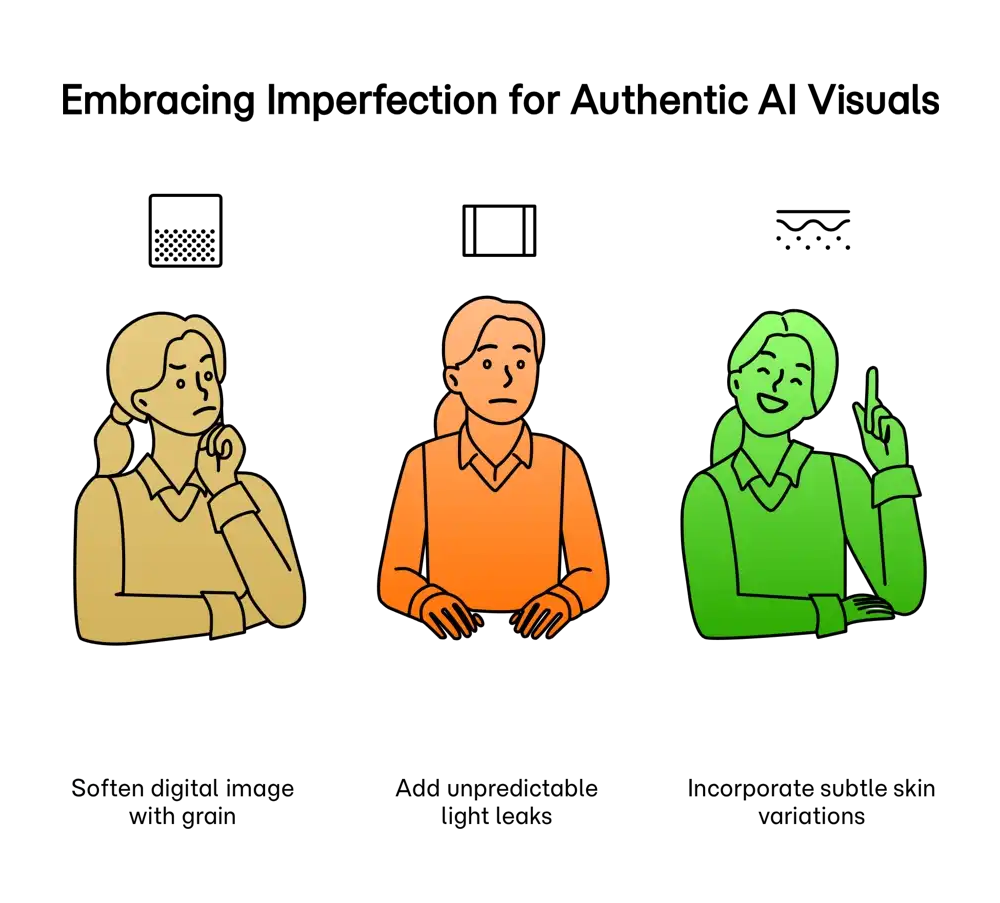
- Film Grain: The textured look in old photos. To add it, use terms like "35mm film grain." To avoid it, specify "sharp focus, high-definition."
- Light Leaks: Bright streaks of color. Describing them specifically in a prompt, like "subtle orange light leak from the top left," can add a dreamy, retro quality.
- Vignetting: Darker corners that draw focus to the center. While often a lens artifact, you can request "subtle vignetting" to add depth or use photo editing techniques to remove it.
- Dust & Scratches: Tiny marks that give a tangible, aged feel. Add "dust and scratches texture" for a vintage effect; otherwise, the AI defaults to a clean image.
Common Analog Film Imperfections
| Imperfection | Description | AI Prompt Control |
|---|---|---|
| Film Grain | A random texture, creating a "gritty" or soft look. | Specify film stock like "Kodak Portra 400" or add "film grain" for effect. Use "high resolution, crisp detail" to avoid it. |
| Light Leaks | Abstract streaks of color, often red or orange. | Prompt for "light leak effect" for a creative flair. Usually absent unless specifically requested. |
| Vignetting | Darker corners with a brighter center. | Add "vignette" to your prompt to draw focus, or avoid it by default. Post-editing is also an option. |
| Dust & Scratches | Small specks, lines, or blemishes on the image. | Use terms like "aged photo, dust and scratches" to add texture. By default, AI aims for a clean image. |
Controlling Optical & Lens Imperfections with AI
Lenses introduce their own character to photos. In AI, you can simulate these for artistic purposes. Understanding these optical flaws gives you a powerful vocabulary for more creative and specific text-to-image generation.
Common Optical & Lens Imperfections
| Imperfection | Description | AI Prompt Control |
|---|---|---|
| Lens Flare | Bright streaks or circles when pointing near a light source. | Specify "anamorphic lens flare" or "golden hour lens flare" for cinematic styles. |
| Chromatic Aberration | Color fringing (purple/green) on high-contrast edges. | Add "chromatic aberration" for a lo-fi or stylized look. Most models avoid this unless prompted. |
| Distortion | Straight lines appearing curved (barrel or pincushion). | Mention lens types, like "fisheye lens" for extreme barrel distortion or "shot with telephoto lens" to imply minimal distortion. |
| Soft Focus | A gentle blur across the image. | Use terms like "dreamy soft focus" or "vintage lens effect." For sharp images, use "highly detailed, sharp focus." |
Eliminating Unwanted Digital & AI-Generated Flaws
Early image generation models were known for producing nightmarish flaws, such as mangled hands or other anatomical distortions. As technology improved, it often overcorrected, creating sterile images that fall into the uncanny valley. The true art lies in achieving intentional realism. By refining your prompts, you can guide the AI away from errors and towards believable, high-quality results. This is crucial for applications from creative arts to marketing, where authenticity builds trust.
A Prompt Engineer's Guide to Reducing Imperfections
| Common Flaw | Technique/Guidance | Application Contexts |
|---|---|---|
| Distorted Hands/Limbs | Use negative prompting like "--no deformed hands". Be very specific: "a person holding a cup, detailed fingers." Break down complex scenes using chain-of-thought prompting. | Creative: Essential for believable authentic portraits and character design. Business: Critical for creating professional headshots or lifestyle imagery. |
| "Plastic" or Fake Skin | Avoid generic terms. Specify details like "visible pores," "freckles," "unretouched skin," and "subtle microtexture." Add "photorealistic skin" to your prompts for enhanced naturalism. | Portraits: Moves images from the uncanny valley to looking like genuine photographs. Advertising: Promotes authentic beauty standards. |
| Overly Perfect/Sterile Look | Introduce a sense of reality. Add keywords like "amateur photography," "shot on a phone," "candid photo," or "subtle motion blur." Using a reference image can also guide the style. | General: To break the artificial look of many AI images and create visuals that seem more genuine and trustworthy to viewers. |
The Future is Intentionally Imperfect
Mastering AI image generation is not just about telling the AI what to create, but also what to avoid. By learning the language of imperfection, you can move from a passive operator to a confident creator. You gain the ability to dial in the exact amount of film grain for a nostalgic feel, ensure every portrait has natural skin texture, and eliminate distracting anatomical flaws. This level of control allows you to harness AI's power while preserving the human touch that defines true artistry and authenticity.
Tired of mangled hands and plastic skin? Let's fix your prompts for free.
Write a prompt for the image you want.
Click the Prompt Rocket button.
Get an optimized prompt that avoids common flaws.
Copy your new prompt and generate a better image.
Mastering Your Prompts for Flawless Images
Achieving excellence in AI-generated imagery hinges on your ability to provide clear, detailed instructions. Frustrating outcomes like anatomical distortions or an "uncanny valley" effect are often symptoms of an imprecise prompt. By mastering techniques such as negative prompting to exclude unwanted elements, specifying natural textures for greater realism, and even simulating real-world photographic styles, you can steer the AI toward producing flawless and believable visuals. This level of control transforms AI from a source of random outcomes into a predictable, powerful tool for any creative, academic, or business goal. The key is not just what you ask for, but how you ask for it and understanding how to ask for perfection is the ultimate skill.