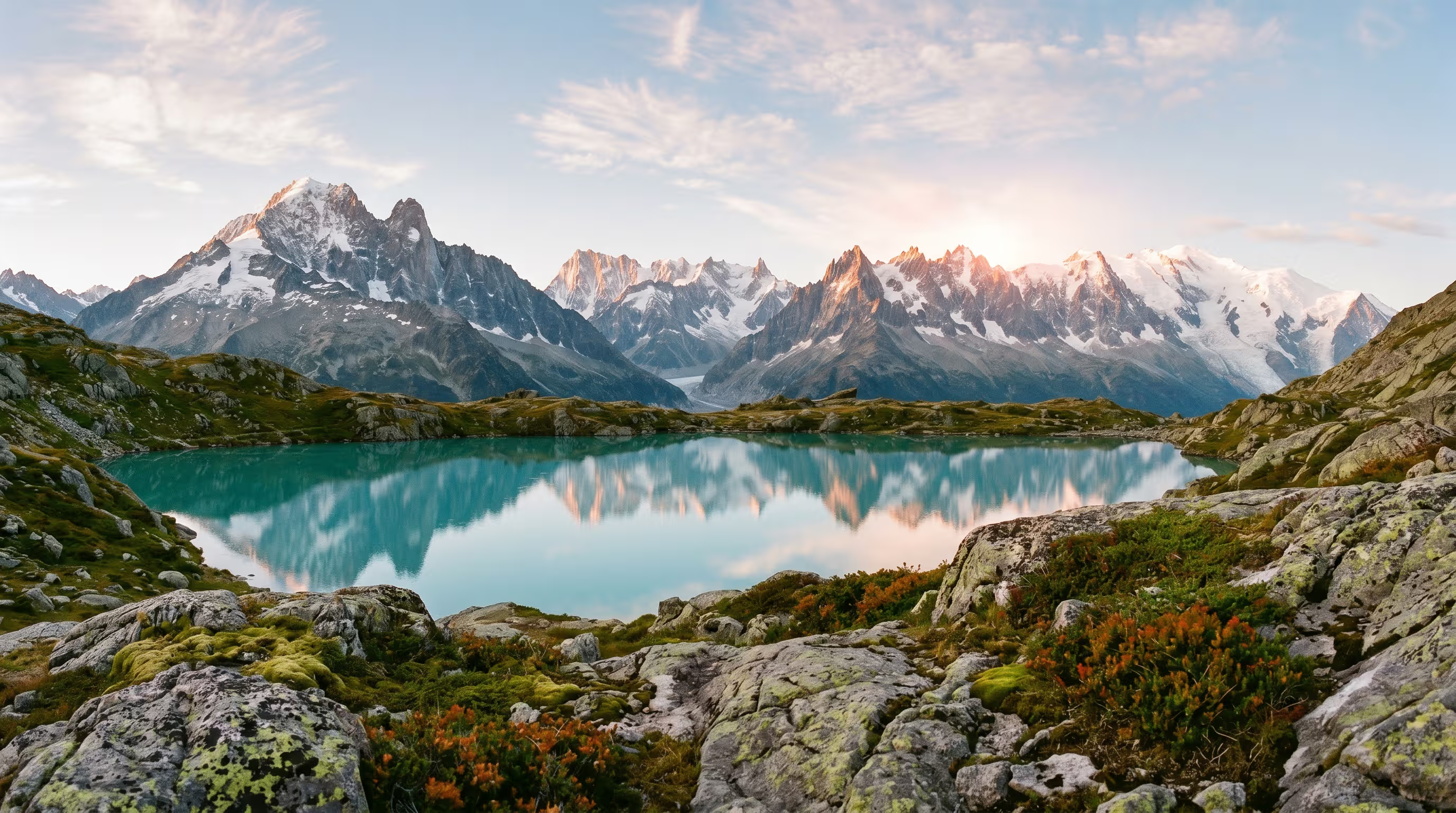
The ability of generative AI to create images from text has revolutionized fields like academic research, education, and marketing. However, moving beyond simple concepts to produce complex AI images with multiple objects, defined attributes, and exact spatial arrangements requires a sophisticated approach to prompting. Without it, models can produce inaccurate or bizarre results, such as fused objects or "attribute leakage," where features of one object bleed onto another. Mastering the art of the complex prompt is essential for unlocking the full potential of image generation for professional and creative applications.
Core Principles for Building Complex Scenes
Before tackling intricate scenes, it's essential to master the fundamentals of a strong prompt structure. A well-formed prompt acts as a clear blueprint, leaving little to the AI's guesswork. The most effective prompts are descriptive and detailed, layering components to build a complete picture. Think of it as explaining a scene to a human artist.
- Subject: Clearly define the main focus, whether it's a person, object, or character.
- Medium and Style: Specify the desired aesthetic. Is it a photorealistic close-up for ultimate realism, an "ethereal watercolor painting," a "technical schematic," or "cyberpunk concept art"? Choosing a style is crucial.
- Environment and Context: Describe the setting for your subject. Is it "indoors in a minimalist living room," "outdoors on a misty medieval street at dawn," or in a vast, empty landscape?
- Composition and Framing: Guide the virtual camera with terms like "wide-angle shot," "bird's-eye view," or "close-up." Use explicit spatial language like "to the left of," "in the foreground," and "behind" to arrange objects precisely.
- Lighting: The quality of light dramatically alters the mood. Specify "soft ambient lighting," "dramatic backlighting," "neon glow," or "golden hour sunlight."
- Color and Mood: Dictate the color palette and the feeling you want to evoke with words like "vibrant and energetic," "monochromatic and somber," or "a calm and peaceful mood."
Model-Specific Techniques for Granular Control
To prevent the AI from blending or misinterpreting instructions for complex scenes, users can leverage model-specific syntax and structured prompting techniques. Different diffusion models interpret prompts in unique ways.
For Midjourney: Separating Concepts with Multi-Prompts and Weights
Midjourney allows you to isolate concepts using a double colon `::` as a separator. This tells the AI to consider each part of the prompt individually before blending them. For instance, prompting `space:: ship` encourages the model to conceptualize "space" and "ship" separately, which could result in a creative image of a sailing ship in outer space, rather than a standard spaceship. You can also assign relative importance to these concepts using prompt weights. By adding a number after the separator, like `a red sphere::1 next to a blue cube::2`, you tell Midjourney to give more emphasiz to the blue cube. You can also use negative weights (`green::-0.5`) to reduce the presence of an unwanted element.
For Stable Diffusion: Keyword Weighting and the 'BREAK' Command
Stable Diffusion offers precise control through prompt weighting. Using parentheses, you can increase a keyword's influence, like `(a majestic castle:1.3)`, or decrease it with square brackets, like `[a small cottage]`. To combat "attribute leakage," where colors or features bleed from one object to another, the `BREAK` keyword is incredibly powerful. It instructs the model to process the prompt in separate chunks, preventing concepts from mixing. For instance, `a white hat BREAK a blue dress` helps ensure the colors are applied correctly to their respective objects.
For DALL-E 3: Leveraging Spoken Language and Precision
DALL-E 3, built natively on ChatGPT, excels at understanding natural, conversational language. While it doesn't use complex syntax like weights, it responds well to clear, descriptive sentences. It has a stronger grasp of object positioning and numbers than many earlier models. You can often achieve spatial accuracy by simply describing the scene: "A fluffy calico cat is sitting on the left side of the image, and a golden retriever puppy is on the right." If you ask for a specific number of objects, it is more likely to generate the correct count.
Practical Applications: AI Imagery in Professional Fields
The ability to reliably create specific, complex visuals has unlocked powerful applications across various sectors.
Academic Research and Scientific Communication
Researchers can now generate publication-quality scientific illustrations and diagrams without needing advanced artistic skills. Specialized AI tools are being developed to create accurate visuals for chemistry, biology, and physics, producing everything from molecular structures to cellular diagrams. These tools can help generate figures for journal submissions, presentations, and grant proposals. However, publishers often require disclosure of AI tool usage and may have policies against using AI to fabricate results, while allowing it for creating visual aids and conceptual diagrams.
Educational Materials
Educators are using AI to create custom visuals that make learning more engaging. A history teacher can generate a photorealistic scene of an ancient Roman market to immerse students, while a science teacher can create step-by-step lab diagrams. For language arts, students can illustrate scenes from stories they've written or design custom book covers. These tools help create personalized and memorable learning materials that cater to different learning styles.
Business and Marketing Communication
In marketing and business, AI image generators offer a fast, cost-effective alternative to stock photography and traditional photoshoots. Companies can create on-brand visuals for social media, advertisements, and presentations with greater efficiency. It's particularly useful for brainstorming and creating product mockups before a final design is ready. This allows for rapid A/B testing of different visual concepts and helps maintain a consistent brand identity across all internal business content and external channels.
Ready to transform your AI into a genius, all for Free?
Create your prompt. Writing it in your voice and style.
Click the Prompt Rocket button.
Receive your Better Prompt in seconds.
Choose your favorite AI model and click to share.
Summary of Prompting for Complex AI Images
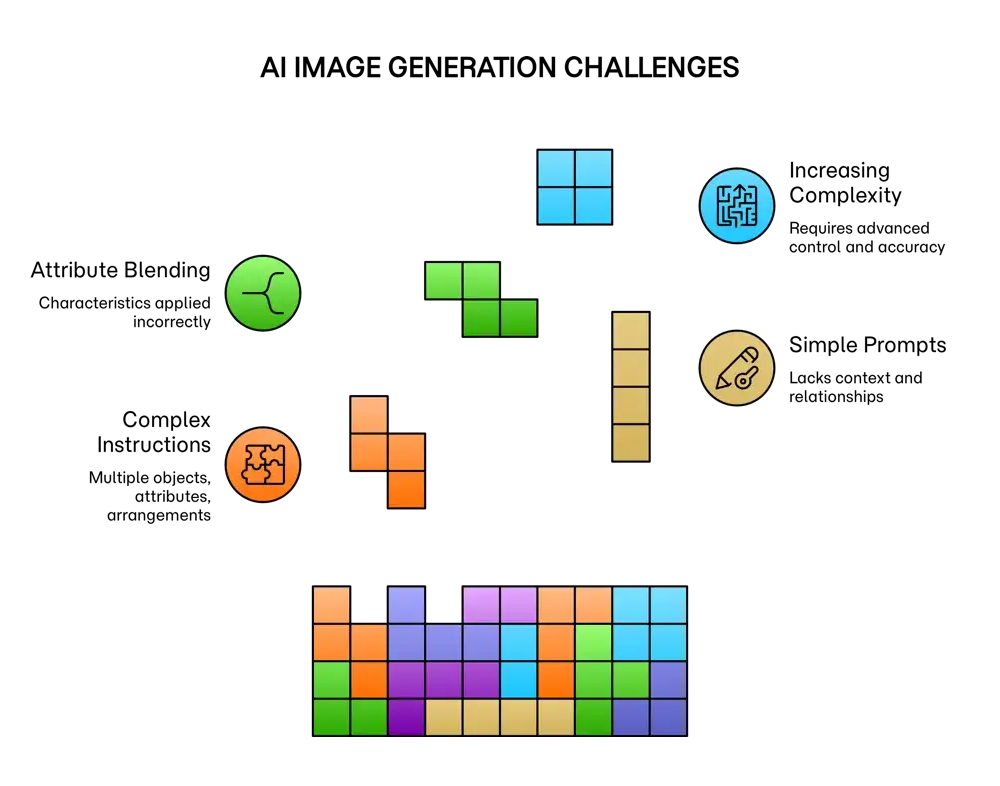
To have AI image generation models reliably interpret and visually represent intricate instructions, a sophisticated and structured approach to prompting is required. This is essential to ensure high prompt adherence and prevent misinterpretations for applications in research, education, and business. Instead of simple keywords, a detailed narrative style often yields better results, as modern AI models are better at understanding context and relationships. For instance, clearly describing a scene with defined spatial relationships like "a red sphere is to the left of a blue cube" is more effective than a list of terms. The goal is to be explicit, breaking down complexity into clear instructions to prevent common issues like "attribute blending." As scene complexity increases, more advanced techniques become necessary to maintain control and accuracy.
Foundational Prompting Techniques
| Technique | Description | Application & Best Practices |
|---|---|---|
| Descriptive, Spoken Language | Craft prompts using detailed, narrative sentences instead of just a list of keywords. Describe the scene as if explaining it to a person to provide context and relationships between elements. | Especially effective in models like DALL-E 3, which are designed for spoken language interpretation. For a complex scene, describe the overall environment first, then the subjects within it. |
| Positional Language and Layering | Use explicit spatial terms such as "to the left of," "on top of," "in the foreground," and "in the background" to define the layout precisely. | Crucial for academic and educational materials where spatial accuracy is key. Structure the prompt to build the scene in layers (foreground, middle ground, background) to give the AI a clear sense of depth. |
| Attribute Specification | Clearly and directly link characteristics like color, texture, and size to specific objects to avoid attribute blending. | Use clear phrasing like, "A woman with blonde hair holds a red umbrella, and a man with brown hair holds a blue book." Being unambiguous is key to preventing errors. |
Model-Specific Syntax and Weighting
| Technique | Description | Application & Best Practices |
|---|---|---|
| Multi-Prompts (Midjourney) | Separate concepts using a double colon (::) to have the model consider each element individually before combining them. | Use this to blend distinct ideas creatively like `galaxy::ocean` or to isolate subjects from their attributes to improve clarity. |
| Prompt Weighting (Midjourney & Stable Diffusion) | Assign numerical weights to prioritize certain elements. Midjourney uses `concept::2`, while Stable Diffusion uses `(concept:1.3)`. | Give more importance to the main subject or to balance multiple elements. Negative weights can be used to exclude concepts like `city::-0.5`. |
| The BREAK Keyword (Stable Diffusion) | Inserts a hard separation in the prompt, forcing the model to process the parts in distinct chunks. This is highly effective at preventing attribute leakage. | Ideal for scenes with multiple subjects having different colors or features. For example: `a red car BREAK a blue bicycle`. |
Advanced Composition and Refinement
| Technique | Description | Application & Best Practices |
|---|---|---|
| Negative Prompts | Specify what you don't want in the image. This helps to remove unwanted elements, styles, or common AI-generated artifacts like distorted hands or text. | Most useful for refining an image by eliminating common errors or clichés. For example, adding `--no text` or `--no blur`. |
| Iterative Refinement (Inpainting/Outpainting) | Generate an initial image and then use platform features like inpainting or outpainting to regenerate specific sections with a refined prompt. This allows for targeted corrections. | This is a powerful method for correcting errors in object placement, attributes, or details without having to start over. It mimics a human-like process of creation and correction. |
| Layout and Pose Control like ControlNet | Utilize advanced tools that condition the AI's output on a source image, such as a sketch, a depth map, a segmentation map, or a specific pose. This provides granular control over composition. | Essential for applications requiring high precision, such as architectural mockups, specific character poses, or recreating a scene from a diagram. |
| Cinematic and Photographic Language | Incorporate terms from photography and cinematography to control the "camera," including shot type ("close-up," "wide-angle shot"), lens type, and lighting ("soft natural lighting," "hard rim light"). | Effective for creating images with a specific mood, focus, and professional composition, guiding the AI to replicate well-established visual styles. |